Draw them back on
Ten frames with the boxes rendered over the image catches every convention error, every axis swap and every off-by-half. No summary statistic will.
There are two ways to get a box, and they do not produce the same box. Projecting an actor’s 3D bounds is the one everybody writes first and the one that gives a rectangle noticeably larger than the object inside it. Deriving it from what was actually drawn is the other, and it is worth the extra step for reasons that show up in every frame.
The obvious approach: take the actor’s axis-aligned bounding box in world space, project its eight corners through the camera, and take the smallest rectangle containing them. It is a dozen lines and it is wrong in a specific, consistent way.
A 3D bounding box already contains empty space, because it is axis aligned and the object usually is not. A car at forty-five degrees fills roughly half of its own box. Project that and you get the box of the box: a rectangle that reaches where the object’s corners would be if it were a cuboid, which it is not.
The error is not random, which is what makes it damaging. It is always too big, it is worse for rotated objects, and a detector trained on it learns to predict boxes slightly larger than the things it sees.
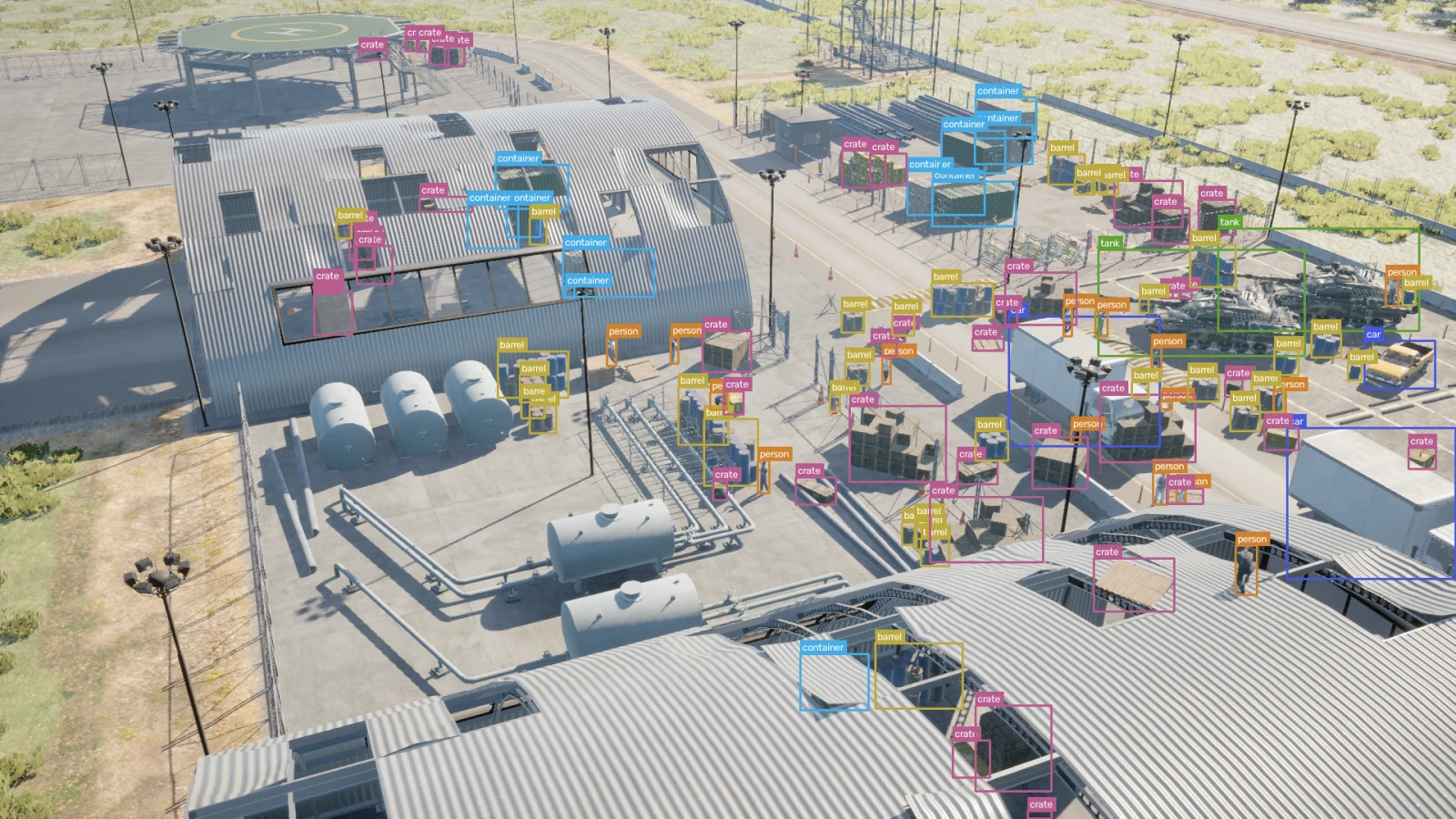
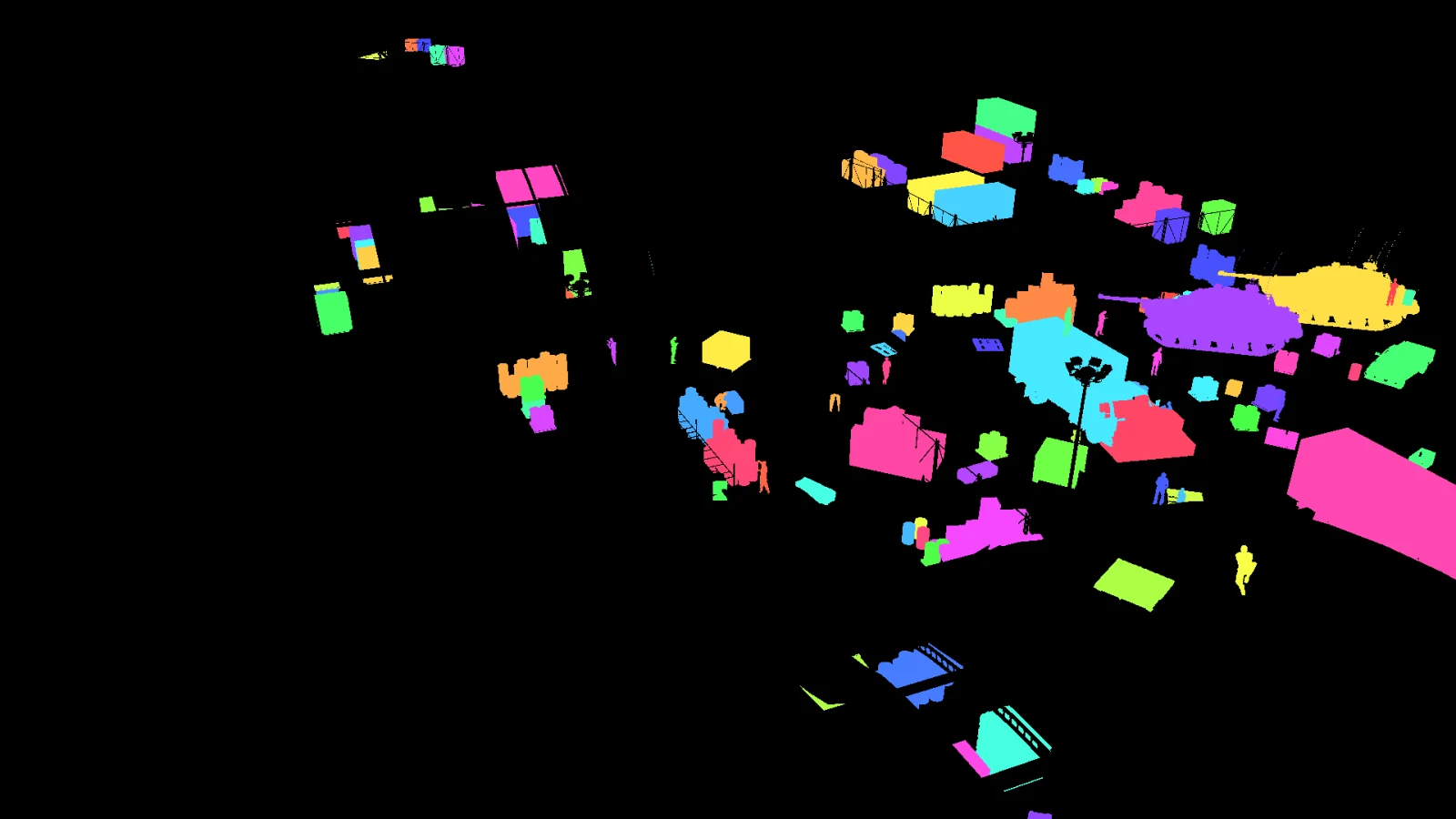
The alternative is to ask the renderer which pixels belong to which object, then take the extents of those pixels. Every pixel in the box is a pixel the camera actually recorded of that object, so the box is as tight as the silhouette and no tighter.
This also solves occlusion for free, which the projection approach cannot solve at all. If a wall hides the lower half of a person, the drawn pixels stop at the wall and so does the box. A projected box includes the legs, because the geometry is still there whether or not the camera can see it.
Objects behind the camera. A point behind the lens divides by a negative depth and lands on the wrong side of the image, mirrored. It produces coordinates that look entirely reasonable. Anything projecting points must reject those before it uses them, and the check is the sign of the depth rather than whether the result is inside the frame.
Objects at the frame edge. An object half outside the picture has a box that runs off it. Clipping is correct, and so is recording that the box was clipped: a truncated object looks like a small object to anything reading only the numbers, and they should not be trained on the same way.
Objects hidden completely. A car parked behind a building still has a position and still projects. Only a mask can tell you it contributed nothing to the picture, and a box over an object nobody can see is a label that teaches a detector to hallucinate.
Objects in more than one piece. A person seen through railings is several runs of pixels. One box around all of them is usually what you want, but it is worth knowing that is a choice rather than an accident, and worth recording how many pieces there were.
Both formats describe the same rectangle and neither writes it the same way, and the mistake is silent because both produce numbers in a plausible range.
YOLO takes the centre and the size, all four normalised to the image so every value is between zero and one: class cx cy w h, one line per object, in a text file beside the image.
COCO takes the top-left corner and the size, in absolute pixels, inside one JSON file for the whole dataset: [x, y, width, height].
Confusing centre with corner shifts every box by half its own size, which is small enough to look like a mediocre model rather than a broken pipeline.
Ten frames with the boxes rendered over the image catches every convention error, every axis swap and every off-by-half. No summary statistic will.
Sort by area and inspect the bottom of the list. That is where boxes on nothing, boxes on one stray pixel and boxes on a fully hidden object collect.
An extreme aspect ratio usually means two objects were merged into one label or a mask leaked across an edge. It is a cheap check and it finds real faults.
Boxes are derived from the identity buffer rather than from projected bounds, so they are the extent of what the camera recorded, and the same run writes the picture, the masks and the depth from that instant. Export is YOLO, COCO, or both.
nameframe label   D:/runs/street  D:/runs/street/labels
nameframe dataset D:/runs/street  D:/runs/street/dataset --format yolo,coco
Every published capture ships its boxes next to the identity buffers they came from, so the checks above can be run against somebody else’s output before you generate any of your own. What a full capture contains is set out on the raw ground truth page, and the bounding box page publishes the measured numbers from the reference run, including the rules that rejected boxes and how many they rejected.