
Count against the record
The number of distinct ids in the buffer, minus the background, should match the instance count the frame’s own metadata declares. A mismatch is a channel-order bug or a dropped object.
Instance segmentation needs a mask per object, not a mask per class, and the difference is the entire difficulty. Two cars parked bumper to bumper are one shape in a semantic mask and two in an instance mask, and no amount of post-processing turns the first into the second. This is how the engine gives you the second directly.
When Unreal draws a frame it already knows which object each pixel belongs to. It has to: that is how it decides what is in front of what. An instance segmentation capture asks for that knowledge to be written out alongside the picture instead of being thrown away when the frame is finished.
The result is an image the same size as the photograph where every pixel carries an object id rather than a colour. Two cars touching are two ids. A person behind a railing is one id, in as many disconnected pieces as the railing leaves.
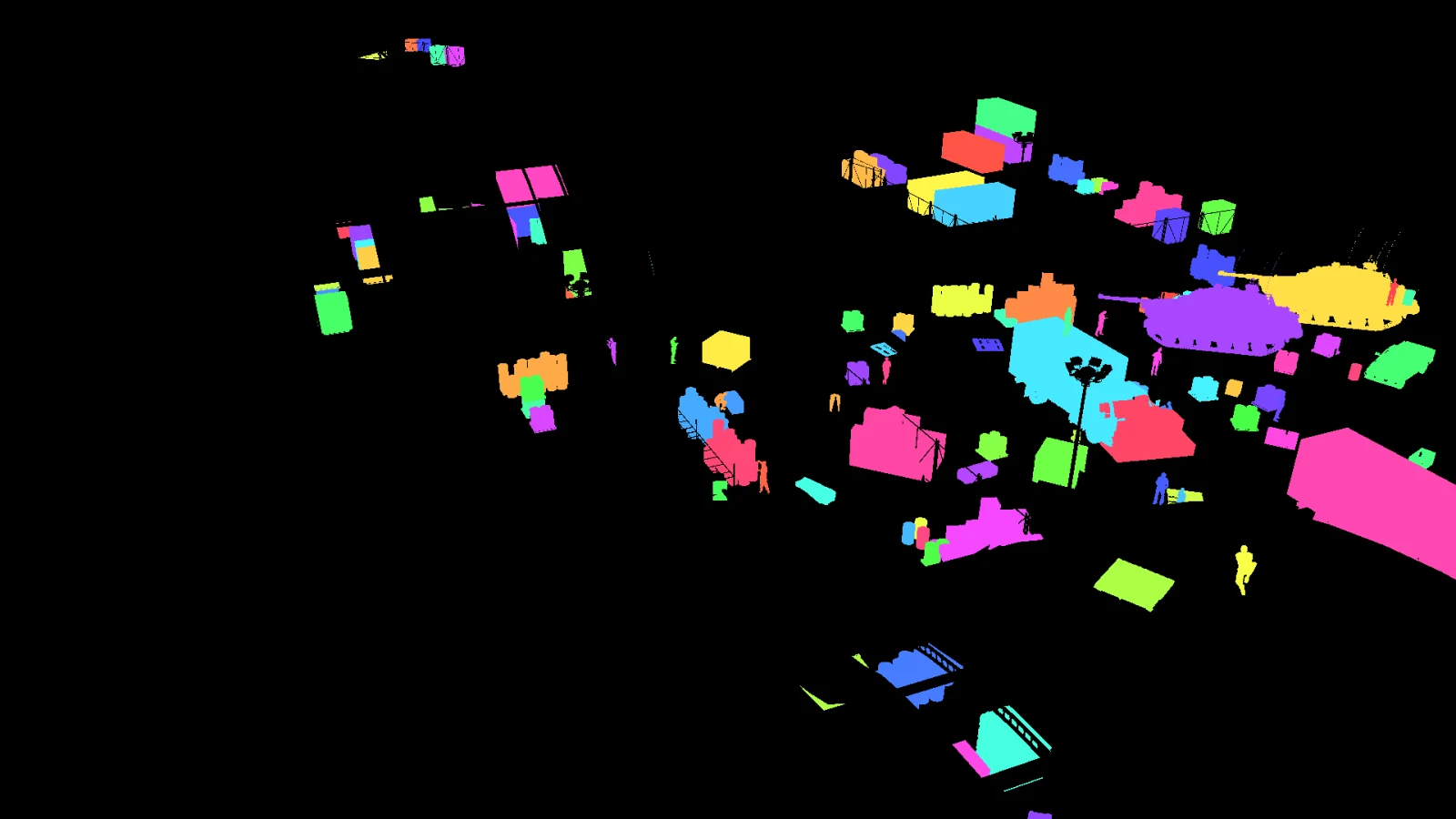
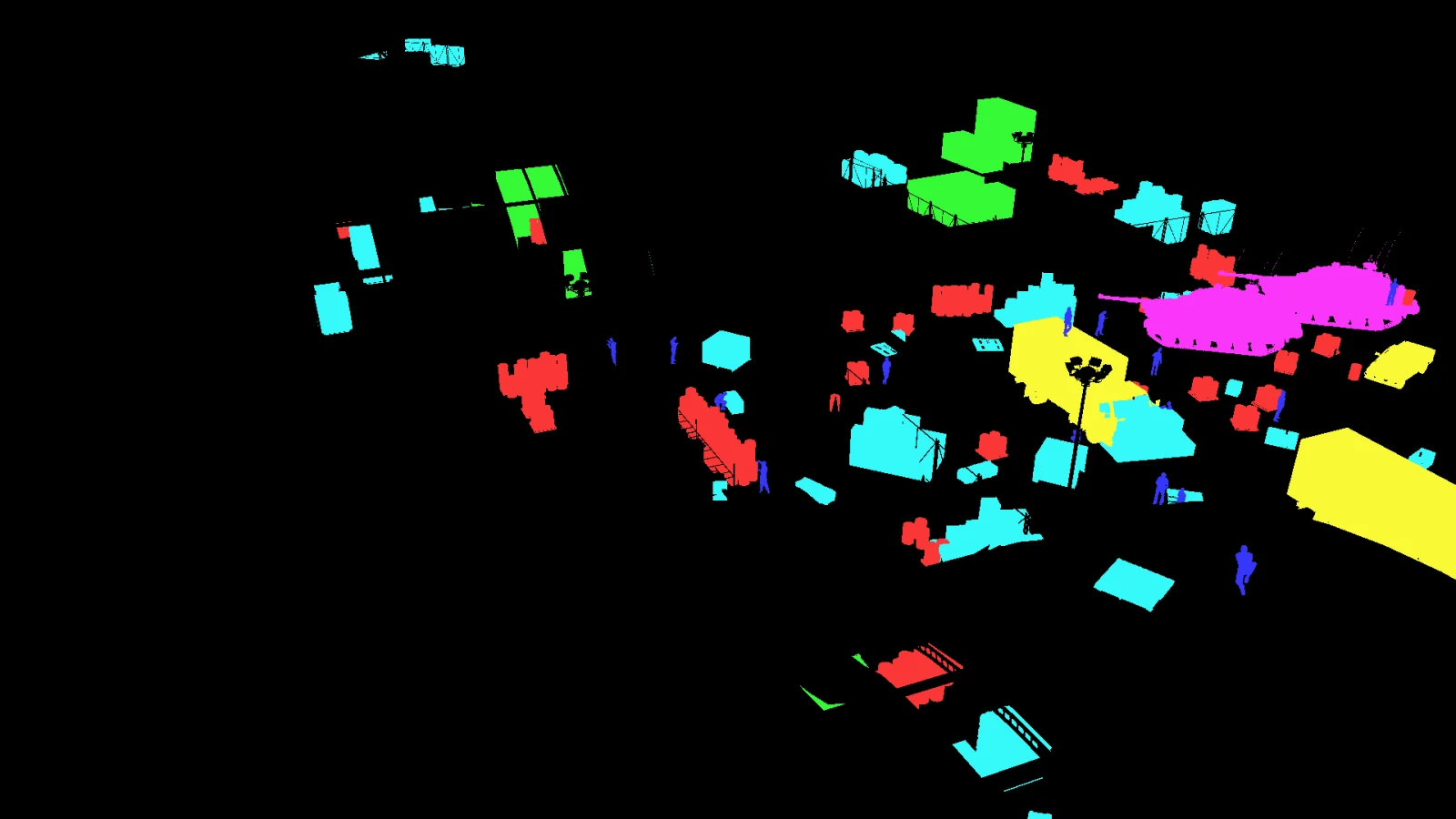
A semantic mask paints every pixel with its class, so every car is one colour. It answers “what is this pixel”. An instance mask answers “which object is this pixel”, and only the second can be counted, tracked, or turned into one box per object.
The direction matters: an instance mask can always be collapsed into a semantic one by replacing each id with its class. The reverse is impossible. If you export the semantic mask and later need instances, the capture has to be run again.
The single most common way an instance dataset comes out wrong is a channel-order mistake in the first line of the script that reads it. OpenCV hands you BGR. Anything that packs the three channels into one id in the wrong order produces ids that are stable, plausible and not the ones the engine wrote.
It fails silently. The masks look right, the counts look right, and the object a given id refers to is different from the one the metadata says. Pack the channels in a known order and check the count against the frame’s own record.
COCO wants polygons or run-length encoding rather than a raster, so an exporter traces the outline of each id. Two things about that conversion are worth knowing before you trust the output.
An object can be several pieces. A person seen through railings is one instance in many fragments, and a converter that keeps only the largest contour silently drops the rest of them. COCO’s format allows a list of polygons per annotation precisely for this.
A polygon has fewer points than the mask has pixels. Simplifying the outline is what makes the file a reasonable size, and it also moves the boundary. If your evaluation is sensitive at the pixel level, keep the raster masks as well; they are the thing the polygons were derived from.
Not every object in the buffer should become an annotation. A car three pixels wide at the horizon teaches a detector almost nothing and costs it precision. Every pipeline draws that line somewhere; the question worth asking of any of them is whether it tells you where.
The usual filters are a floor on the mask area, a floor on the box in pixels, a ceiling on how elongated a shape may be, and a floor on how much of the object is visible at all. Where each sits is a judgement about the task: a floor that suits aerial vehicle detection throws away most of a crowd scene.
The threshold matters less than the recording. A pipeline that drops an object and says so leaves you able to loosen it and re-export. One that drops it quietly leaves you with a dataset whose small objects are missing for no stated reason, which looks exactly like a model that cannot see small objects. Ask any tool you are evaluating where its line is and whether the drop is written down.
Three checks catch nearly everything, and all three can be run on the files themselves without opening the engine again.
The number of distinct ids in the buffer, minus the background, should match the instance count the frame’s own metadata declares. A mismatch is a channel-order bug or a dropped object.
Draw the masks over the frame and look. Ten frames is enough. An error of alignment, scale or channel order is obvious to the eye and invisible in any summary statistic.
A mask sitting on pixels the camera barely recorded is correct geometrically and useless to a model. This has a page of its own: occlusion is not obscuration.
A capture writes the identity buffer beside the frame, and the labelling step turns it into YOLO and COCO with the per-instance masks kept. The whole run is one command over the dump.
nameframe capture-unreal job.json
nameframe label   D:/runs/street  D:/runs/street/labels
nameframe dataset D:/runs/street  D:/runs/street/dataset \
    --format yolo,coco --include-segmentation
Or look at one first. Every published capture ships its identity buffers alongside the frames and the labels derived from them, so the check above can be run on somebody else’s output before you generate your own.