
Automation across many runs
Generating one dataset is a panel job. Generating forty variants overnight is a script, and that is what the CLI and the API are for.
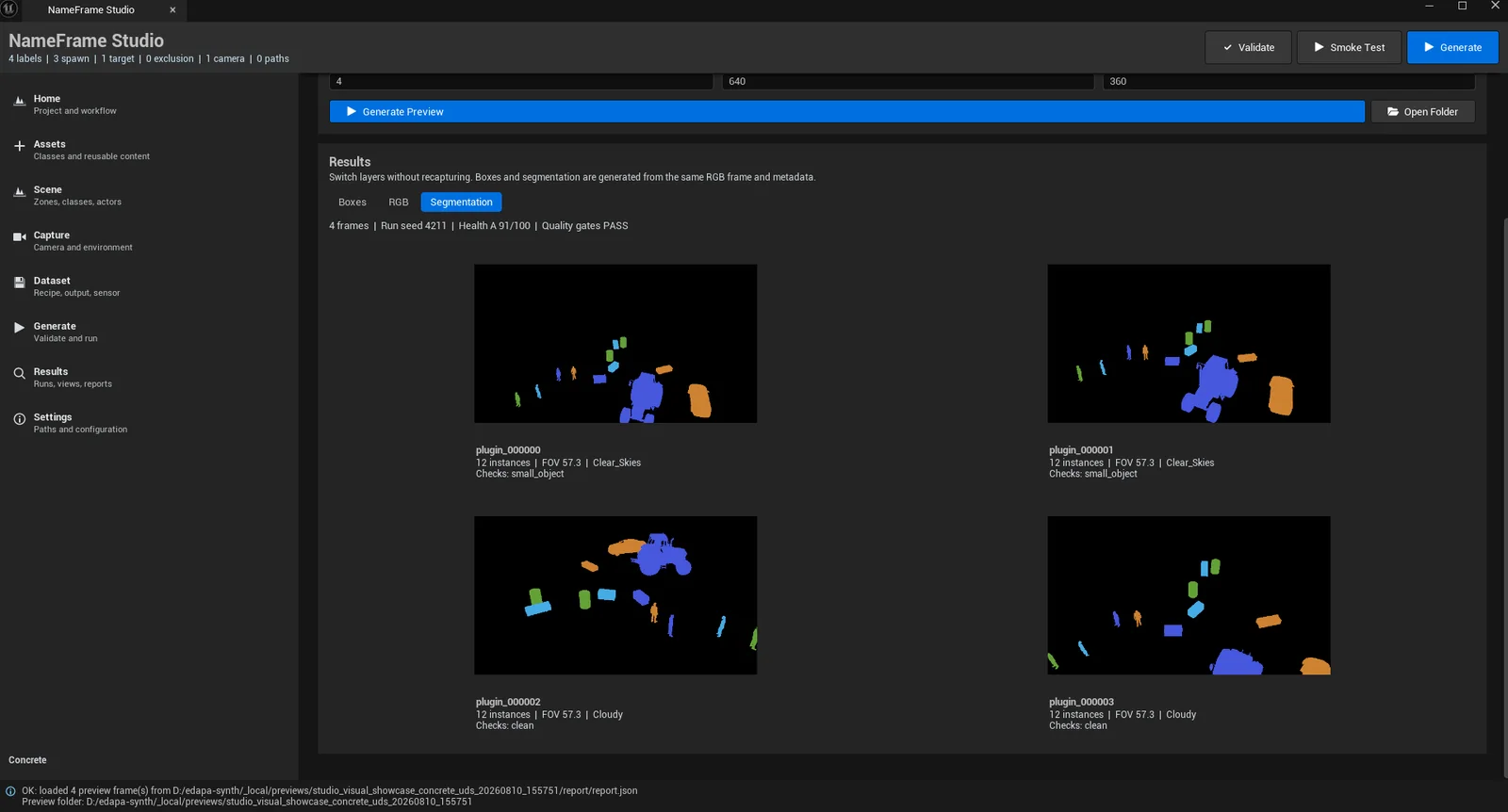
Most synthetic data tooling assumes the person generating the data is the person training the model. Often they are not: the person who knows the scene is a technical artist, and asking them to learn a command line to place some crates is a bad trade. NameFrame Studio is a panel inside the Unreal editor that does the whole job.
Writing a job file. The Studio is a front end over the same contract the command line consumes, which has two useful consequences: nothing is exclusive to the no-code path, and a scene authored in the editor can be handed to an engineer to run a thousand times without anyone rebuilding it.
It also means the evidence is the same. A run started from the panel produces the same manifests, the same hashed configuration snapshot and the same gates as one started from a terminal.
The panel is organised as a sequence rather than a settings tree, because the order matters and getting it wrong is the most common way a first run goes badly.
The Generate step is deliberately last and deliberately gated. Validate resolves every asset the spawner will need, which was 38 assets across 4 pools on the reference run. The smoke test renders a handful of frames end to end. Only then does the full run start, and by that point nothing about it is a surprise.
Generating one dataset is a panel job. Generating forty variants overnight is a script, and that is what the CLI and the API are for.
If dataset generation is a step in a larger workflow, it needs to be callable. The Studio cannot be called; the Python package can.
A distribution nobody implemented, a format nobody wrote. The extension points are in code, because that is what extension means.
None of those are reasons to start in a terminal. Author the scene in the editor, confirm it works from the panel, then automate the part that repeats.