
Pair it with depth
Intrinsics plus a depth map in metres is everything an unprojection needs. How to export a depth map.
Unreal gives you a field of view in degrees. Every computer vision library wants a focal length in pixels and a principal point. The conversion is one line, and almost every mistake people make with it comes from not knowing which axis the degrees refer to.
A pinhole camera matrix holds four numbers that matter: the focal length in pixels along each axis, fx and fy, and the principal point, cx and cy, which for a rendered frame is the centre of the image. The focal length comes from the field of view and the image size:
Unreal’s FOV is horizontal. That is the trap. A great deal of camera code, and most of the intuition people bring from photography, assumes vertical. Substitute the horizontal number into a vertical formula at 1920×1080 and your focal length is out by the aspect ratio, which is a factor of 1.778 here. Reprojected points land in plausible but wrong places, and the error is largest at the edges, so a centre crop check will pass.
The second trap is that fy equals fx only when pixels are square, which they are in a render unless someone has forced an aspect ratio that does not match the output resolution. If a camera actor has Constrain Aspect Ratio set with a value different from 1920/1080, the engine letterboxes, the effective field of view is not what the property says, and the intrinsics you derive describe a camera that did not take the picture.
| Setting | Effect on the matrix |
|---|---|
| Field of view | Changes fx and fy directly. The main input. |
| Output resolution | Changes fx, fy, cx and cy together. Intrinsics are in pixels, so they are only valid at one resolution. |
| Constrained aspect ratio | Letterboxes the render, so the stated FOV no longer describes the visible frame. |
| Near and far clip | No effect at all. They bound what is drawn, not how it projects. |
| Camera position and rotation | No effect. Those are extrinsics, and they belong in a separate matrix. |
Because every number in the matrix is measured in pixels, a matrix is only valid for the image size it was computed at. Halve the render and every value halves. This is the reason a capture has to write the resolution beside the intrinsics rather than assume the reader knows it: a matrix stored without its image size is a set of numbers nobody can safely use.
The same applies to any resizing you do afterwards. Downscale your frames for training and the intrinsics you shipped no longer describe them. Scale the matrix with the images or store both sizes.
Intrinsics say how the camera turns a 3D point into a pixel. Extrinsics say where the camera was. Neither is useful alone for anything geometric, so the capture writes both into the same frame record: position, orientation as a quaternion, and the intrinsics above.
One warning about the coordinate frame. Unreal is left handed with Z up, and most vision code is right handed with Y down. There is a conversion between them and it has to be written down somewhere a reader can find, because a sign error here produces a reconstruction that is mirrored rather than broken, which is far harder to notice.
Take an object whose 3D position the capture recorded, project it with your matrix, and see whether the pixel lands inside that object’s bounding box in the image. If it does, across a handful of objects near the edges of the frame as well as the middle, the intrinsics are right. If it works in the centre and drifts outward, you have the horizontal against vertical FOV problem above.
Edges matter more than the middle for exactly this reason. Every plausible error in this conversion is small at the principal point and grows with distance from it, so a check that only looks at the centre of the frame passes for all of them.
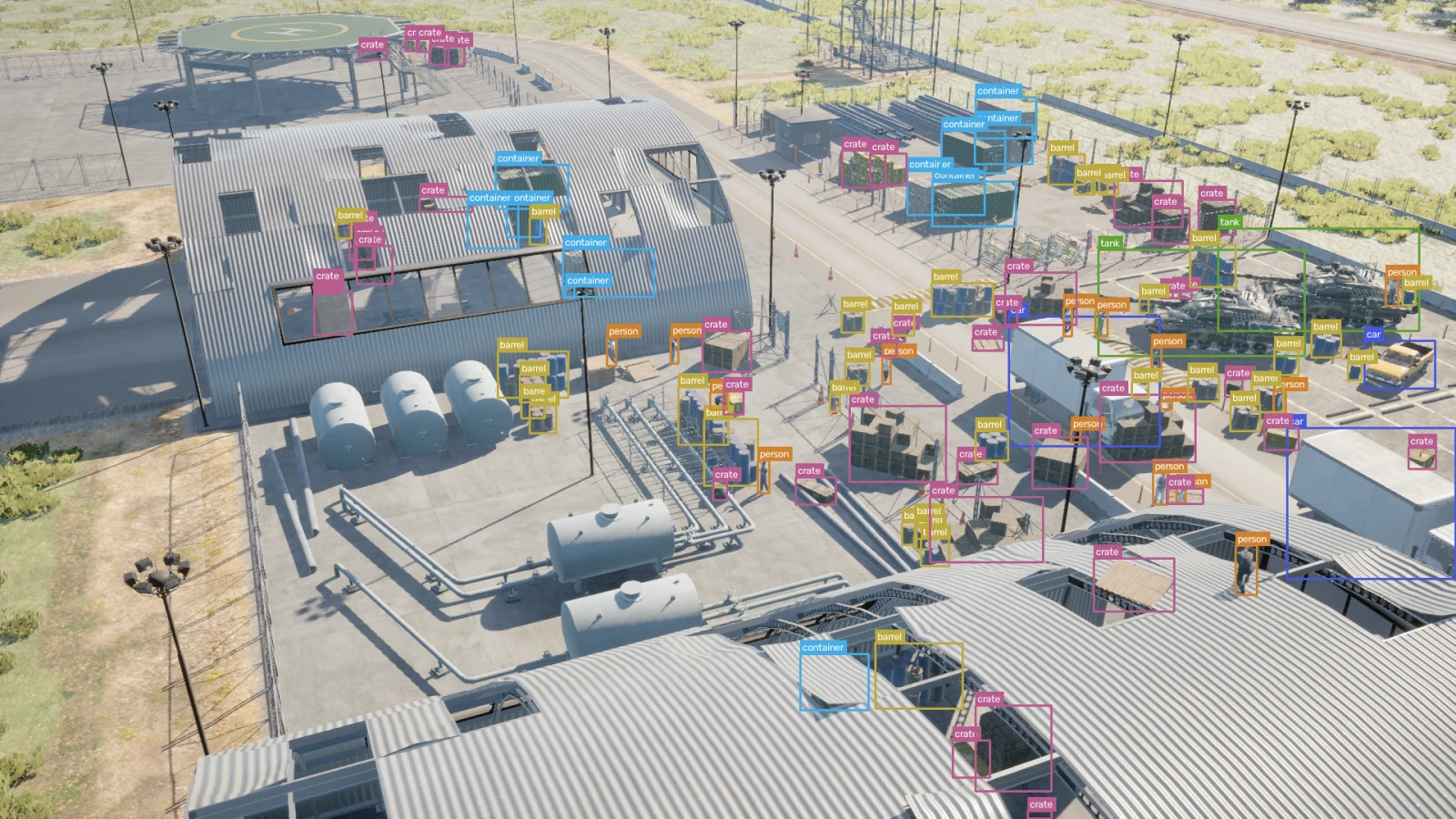
Those boxes are computed from the scene rather than drawn by a person, so they can be used as a check. If the projection of an object’s centre does not land inside its own box, one of the two is wrong.
Intrinsics plus a depth map in metres is everything an unprojection needs. How to export a depth map.
Every published frame carries its own pose and intrinsics in frame.json. Download a capture and read one.